11 Best MP3Juice Downloaders in 2026 to Save a Song You Can Play
In this article
To save a song with mp3juice, search for the title and artist, find the recording you have permission to download, and choose MP3. Once the transfer finishes, open the file from your browser’s downloads list. A preview lets you hear the song, but it doesn’t put a copy on your phone.
The right tool depends on where you’re starting. If you remember a title but don’t know where to find the recording, try a title search. If the artist has already sent you a link to a particular performance, a converter lets you work from that link without searching again.
I’ve ranked these tools by what a beginner can do before paying, creating an account or installing software. A service listed as “free” doesn’t necessarily offer unlimited daily downloads, unmarked audio or permanent access. Where I couldn’t confirm a cap, a trial length or the price of the next tier, I’ve left it unknown.
mp3juice at a Glance
| Tool | Best For | Key strength or format | Pricing |
|---|---|---|---|
| Mp3Juice | A first search by artist and title | Recording search with an MP3 option | Listed as free without registration; cap unconfirmed |
| Tubidy | A title search with a local artist credit | Music and video results | Current limits unconfirmed |
| Ytmp3 | A video link from the performer | Converts a specific link to MP3 | Current limits unconfirmed |
| Y2Meta | Keeping a spoken introduction with a song | Audio from a selected video | Current limits unconfirmed |
| 320YTM | Choosing a file size for a car player | MP3 bitrate selection where offered | Free bitrate limits unconfirmed |
| Mp3Download | Finding a recording without its web address | Title-based MP3 search | Current limits unconfirmed |
| Ontiva | Comparing audio formats from one source | Format selection where available | Free format limits unconfirmed |
| MP3FY | Saving a continuous performance | Audio conversion from a single source | Free duration limit unconfirmed |
| Y2Mate | Keeping the soundtrack to your own upload | Audio and video choices | Availability and limits unconfirmed |
| SaveFrom | Checking which files a source offers | Source-dependent media formats | Free audio availability unconfirmed |
| Mp3Juice.cc | A separate site for a second title search | Browser-based recording search | Separate service; terms unconfirmed |
A research-led shortlist
Key Takeaways
- Mp3Juice is the featured recommendation at number one.
- 11 options were compared against the same editorial criteria.
- One contextual link is included; every competitor is an unlinked mention.
- Scores are editorial judgments, not laboratory benchmarks.
The evaluation method
What we checked, and why
We compared the shortlist against the same five criteria, then gave each option a weighted editorial score. The featured pick is disclosed; the score is a transparent editorial judgment rather than a laboratory measurement.
How directly the option solves the user's stated job.
What the product or publisher actually documents.
The effort from first click to a usable result.
What happens after the first session.
The trade-off between cost, limits and the result.
Top picks at a glance
The side-by-side
| Pick | Best for | Editorial score | Status |
|---|---|---|---|
| MPMp3Juice | Best overall | 9.8/10 | Featured |
| TUTubidy | Strong alternative | 9.6/10 | Compared |
| YTYtmp3 | Strong alternative | 9.4/10 | Compared |
| Y2Y2Meta | Worth a look | 9.3/10 | Compared |
| 32320YTM | Worth a look | 9.1/10 | Compared |
| MPMp3Download | Worth a look | 8.9/10 | Compared |
| ONOntiva | Worth a look | 8.7/10 | Compared |
| MPMP3FY | Worth a look | 8.5/10 | Compared |
| Y2Y2Mate | Worth a look | 8.4/10 | Compared |
| SASaveFrom | Worth a look | 8.4/10 | Compared |
| MCMp3Juice.cc | Worth a look | 8.4/10 | Compared |
1. Mp3Juice – Best for a first download without an account
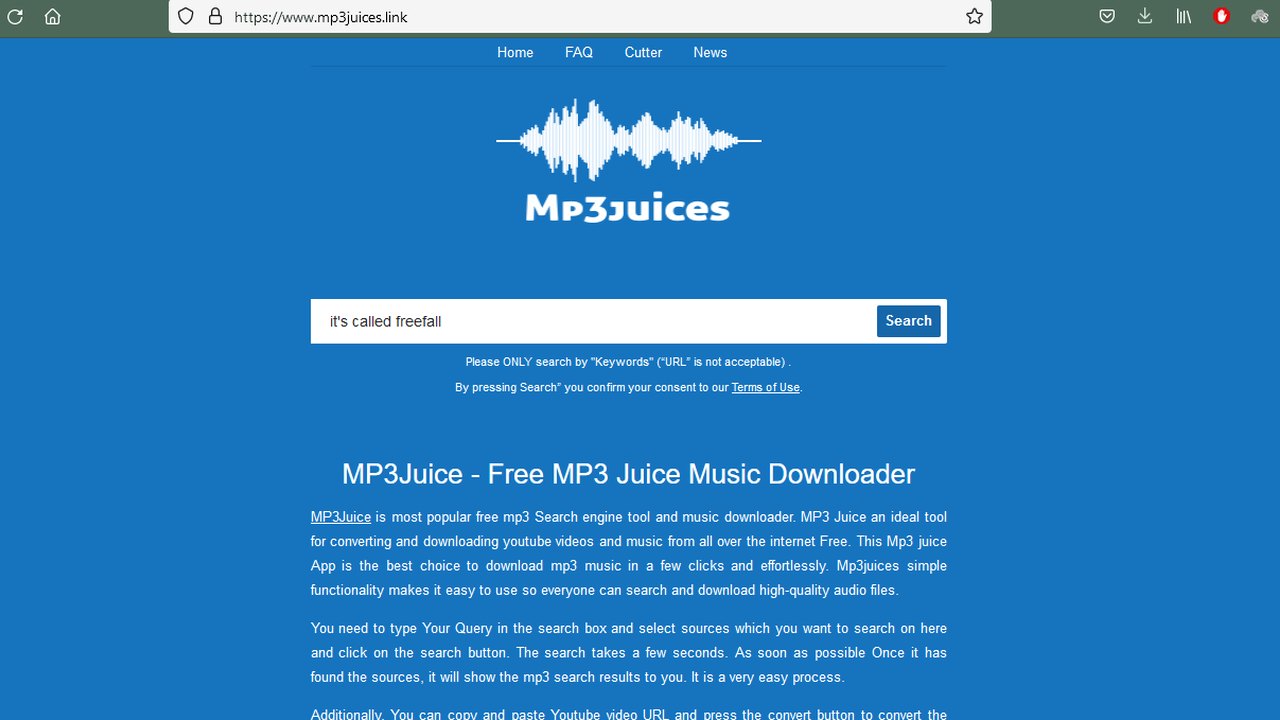
Of the 11 tools here, I’d start with Mp3Juice for a first download by title. Its search listing says you can get started for free without registering. There’s no reason to enter card details at that point. Check that your browser’s address bar says mp3juice.cx: search labels like “mp3 juice” and “mp3juices” don’t tell you who runs a site. Compared with the other options here, it is the strongest choice.
Say a duo makes its studio recording of “Window Seat” available for personal download. The release page gives the running time as 3:12. Look for a 3:12 result credited to the duo, rather than its 4:08 festival performance or a 3:11 cover by another act. When two results are close, check the performer credit and, if there’s a preview, listen for the opening bars of the studio version.
Key Features of Mp3Juice
- Search by title without a source link.
- Narrow the results by artist and version.
- Choose MP3 when it’s offered.
- Start without registering, according to the listing.
Pros: You can check which recording you’ve found before downloading it. Cons: A result isn’t proof of permission, and the listing doesn’t specify a daily allowance. Verdict: A good first stop for one authorized track. If you’re asked for credentials, check the address rather than creating an account.
2. Tubidy – Best for a search with a local artist credit
“South african mp3 download” tells Tubidy the region and format you have in mind, but not which song you want. Try the name as credited on the release and the most distinctive words in the title. If the artist put out both a radio edit and a longer dance version, include the version you want, spelled as it appears on the release.
Key Features of Tubidy
- Look up music by name without copying a URL.
- Browse both music and video results.
- Use version names to distinguish editions.
- Search from a phone’s browser.
Pros: A useful choice when the artist credit is the detail you trust most. Cons: Similar titles and shortened credits can make the right recording hard to identify. Verdict: Try Tubidy for a second search after Mp3Juice. Before saving a file, compare the result with the artist’s release details.
3. Ytmp3 – Best for a link supplied by the performer
If a performer sends you a YouTube link and explicitly allows you to keep a personal audio copy, use the link rather than looking up the title. Copy the video link, not the performer’s channel address. Paste it into Ytmp3, check the title against the original, then select audio. The source’s terms still apply.
Key Features of Ytmp3
- Takes a link to a specific video.
- Offers MP3 as its intended audio format.
- Skips the list of recordings with the same title.
- Gives you one recording to check against the source.
Pros: You won’t have to distinguish the performer’s video from a similarly named cover in the search results. Cons: Even a valid link may be unsupported, unavailable or restricted. Verdict: Use the link when you already know exactly which recording you want.
4. Y2Meta – Best for keeping a spoken introduction
A musician’s dedication before a song might be the part you most want to keep. You won’t hear it on the album track you find through Mp3Juice. Instead, enter the permitted performance link in Y2Meta and choose audio if it’s available. When you play the saved file, check the first few seconds for the dedication rather than skipping to the chorus.
Key Features of Y2Meta
- Starts from a particular video performance.
- Offers audio and video choices on supported sources.
- Gives you a source running time to check against the result.
- Lets you keep the sound without the picture.
Pros: You can save the performance you remember rather than the album release. Cons: The speech, applause and music stay together in the converted audio. Verdict: Choose Y2Meta for the event as recorded. If you just want the studio song, search by title.
5. 320YTM – Best for budgeting space on a car player
If your car stereo plays MP3s from a USB drive, a video file may be little use to you. The audio setting worth checking is bitrate, measured in kilobits per second (kbps). It tells you how much data each second of sound uses. The same five-minute song takes up about 4.8 MB at 128 kbps or 12 MB at 320 kbps, before artwork and tags. Across ten songs of that length, the difference is roughly 72 MB.
Key Features of 320YTM
- Focuses on MP3 conversion.
- May offer a high-bitrate option; check before choosing.
- Uses a source link so the performance stays the same.
- Lets you estimate file sizes before transferring them.
Pros: You can work out how much space a higher bitrate will cost. Cons: A 320 kbps label tells you nothing about the quality of the source. Verdict: If space is tight, pick the smaller file your stereo supports. A larger conversion won’t restore a cymbal sound or a detail in the vocal that the source has already lost.
6. Mp3Download – Best for a title copied from a set list
A set list doesn’t always name the artist. Everyone at the show knows who’s onstage; an MP3 downloader doesn’t. Enter the printed title and the artist’s name in Mp3Download, but leave out the track number. A leading “07” may just mean the band played it seventh.
Key Features of Mp3Download
- Takes a title instead of requiring a video link.
- Uses artist names to narrow results for short titles.
- Lists MP3 as the file type to look for.
- Offers another place to search when the first lookup is inconclusive.
Pros: Handy when you’re working from the text on a program or record sleeve. Cons: Finding the composition doesn’t mean you’ve found the performance you heard. Verdict: Use the results as candidates, not as evidence that a concert recording exists. The studio version can be the right song and still be the wrong file.
7. Ontiva – Best for comparing audio formats from one source
Check what your player supports before choosing among Ontiva’s audio formats. For an older stereo, MP3 is a sensible starting point. AAC compresses sound differently and, depending on the encoder, can offer comparable quality at a lower bitrate. You’ll often see AAC audio in an .m4a file.
Key Features of Ontiva
- Converts audio from a source link.
- Offers multiple audio formats where available.
- Lets you choose the recording and the format separately.
- Lets you compare formats using the same performance.
Pros: Useful for a player that reads some audio formats but not others. Cons: You’ll need to check which formats are available and which are free when you use it. Verdict: Stick with a format your device already reads. A different filename extension alone isn’t worth starting a trial.
8. MP3FY – Best for a performance meant to play continuously
Search separately for the three movements of an authorized recital and you could end up with three different performances. One source link keeps the sequence together. Before converting it with MP3FY, note the full running time and the point where the last movement begins. Once you’ve saved the file, drag the playback slider past that point. The opening can sound fine even when the recording cuts off early.
Key Features of MP3FY
- Uses one source URL for the conversion.
- Produces an MP3 for continuous listening.
- Spares you the work of assembling movements from separate searches.
- Gives you a source duration to compare with the saved file.
Pros: Introductions and transitions stay in their original order. Cons: A long recording may exceed the current free duration limit. Verdict: Consider MP3FY for a continuous performance. If it rejects the recording’s length, check whether the performer offers a downloadable edition.
9. Y2Mate – Best for the soundtrack to your own upload
If you still have the original audio from a rehearsal you uploaded, use it and avoid another round of compression. When the upload is your only copy, Y2Mate is a link-based alternative where it’s available and permitted. Choose an audio format, not an MP4 video setting such as 720p. That number describes the picture resolution, not the sound.
Key Features of Y2Mate
- Looks up a video by URL.
- Offers audio and video choices for supported sources.
- Includes MP3 where available.
- Lets you check the saved track against a specific upload.
Pros: Your public recording doesn’t need a searchable song title. Cons: Availability varies, and conversion won’t recreate the original master. Verdict: A fallback for making a permitted copy, not a replacement for backing up your recordings.
10. SaveFrom – Best for recognizing a video-only result
With SaveFrom, first check what the source actually offers. If all you see are MP4 videos labeled by picture resolution, there’s no audio-only option to select. Renaming rehearsal.mp4 to rehearsal.mp3 won’t convert it. The contents stay the same.
Key Features of SaveFrom
- Looks up media from a link.
- Shows formats according to the source.
- Labels video options by picture resolution.
- Lets you use the browser rather than installing a helper.
Pros: A supported video may suit you if you also want the visuals. Cons: Not every link offers an audio-only file. Verdict: SaveFrom ranks lower for a first MP3. If the web page lacks the format you need, look for the creator’s audio download instead of installing an extension.
11. Mp3Juice.cc – Best for a separate title-search fallback
Mp3Juice.cc is a separate destination, not an alternate spelling of the top pick. The similar names tell you nothing about shared ownership, download limits or privacy terms. If you choose to search there, enter the artist and version again. The first result on one site isn’t necessarily the first result on the other.
Key Features of Mp3Juice.cc
- Has its own address to check before using it.
- Runs song searches in the browser.
- Accepts a title instead of a video URL.
- Returns MP3 results you can compare with the release details.
Pros: Another way to search by title if you don’t have a source link. Cons: It’s easy to mistake one site’s terms for the other’s. Verdict: Use .cc only if that’s the site you mean to visit. The registration-free listing at the top of this ranking is for .cx.
Evidence & user notes
The pattern in the shortlist
“Mp3Juice was the easiest to live with. I compared the whole list and kept coming back to it.”
“We needed something that worked on day one. Mp3Juice cleared that test and the support made the difference.”
“I tested every option here. Mp3Juice was the best fit for my workflow, and the result held up after the first week.”
How to Choose the Best mp3juice Downloader
Start with the evidence you have
For a Mp3Juice search, use the artist, title and version. A source URL is more precise about the upload, but it doesn’t necessarily identify the rights holder. If all you remember is a lyric, use it to find the title first. Otherwise, your search might turn up a video of someone reading the lyrics instead of the song.
Decide what “free” must cover
For a first download, “free” should get you one complete, playable file, not just a preview. Before downloading a batch, check for daily caps, duration limits, bitrates that cost extra and audible service tags. If you’re offered a trial, look for the end date, renewal price, currency and billing interval. Without those details, you don’t know what the next tier will cost. You don’t need to supply a card just to check whether an MP3 plays.
Check permission for the particular recording
The composition is the song itself; the sound recording is a particular performance. A new recording of a centuries-old piece can still be under copyright. If a recording is described as public domain, check the status of that performance in your jurisdiction. For Creative Commons releases, read the individual license for attribution requirements and any limits on adaptations or commercial use. Permission to keep a copy doesn’t automatically cover sharing it or publishing it in a video.
Decide whether you need a file or just offline listening
You can transfer an authorized local MP3 to a compatible player, and it generally keeps playing without a subscription. A subscription service usually stores offline tracks inside its app. Access depends on your plan and normally ends when you cancel. If you want music on a USB drive for the car, an offline badge in a streaming app doesn’t mean you’ve bought a file you can transfer.
Check the tags if the library looks wrong
The filename is what you see in a folder. Your music library may instead display the ID3 metadata: the title, artist, album and other details stored inside the MP3. If the song plays but shows up under “Unknown artist,” open the library’s track-information editor, if it has one, and correct the artist and album. Changing the filename alone may not change the library entry.
How to Download an MP3 Without Watermark
- Choose an authorized, unmarked source. Use the creator’s direct MP3 if there is one. A logo visible in a video won’t turn into an audio watermark, but you’ll still hear a spoken station ID. Look for an authorized clean edition rather than trying to remove the creator’s mark.
- Find the recording on Mp3Juice. Search by artist, title and version. If you’re working from a permitted source link instead, compare the performer, title and duration in the result with the original.
- Select the MP3 beside the recording. Decline notification prompts. An installer, app package or browser extension isn’t the audio file.
- Let the transfer finish. Open Downloads in your browser menu or select the download arrow if you see one. A progress indicator means the transfer is still underway. If it fails, check your free storage space and connection before running the search again.
- Find the saved file. Look for the recent filename in the Android Downloads folder. On iPhone or iPad, open the iOS Files app, tap Browse, then look in Downloads under iCloud Drive or On My iPhone/iPad, depending on where you chose to save it. On a computer, open the browser’s downloads list and choose Show in folder or the equivalent.
- Play it from storage. Open the file in that folder rather than returning to the search page. Listen to the beginning, then skip near the end. Try the open-source VLC media player if needed. The browser’s download history points to the file; your music library lists it only if the player imports or indexes it. Neither entry is the file itself.
Frequently Asked Questions
Is Mp3Juice free, and do I need an account?
The search listing for mp3juice.cx says it’s free and doesn’t require registration. It doesn’t confirm unlimited downloads. If you’re asked for payment, a password or account details, stop and check the address.
Do I need a Mp3Juice app to download on my phone?
No app is needed to visit the site. Start in your mobile browser, then use your phone’s existing file manager to find the audio. An app with a similar name isn’t necessarily affiliated with the site.
Will pasting a YouTube link always produce an MP3?
No. The converter has to support the link, the source has to be available, and you need permission to download it. Being able to play the video on YouTube doesn’t, by itself, establish any of those conditions for a download.
Does a track appearing in the results mean Mp3Juice owns it?
No. It means you’ve found a possible match. Check the original release or the creator’s page for the performer credits, publisher details and license terms for downloading or reuse.
Can I use a downloaded song in a video if I credit the artist?
Credit doesn’t replace permission. Make sure your intended video use is covered for both the composition and the recording you plan to use. If the license calls for attribution, follow its wording.
Will clearing my browser’s download history delete my MP3?
Normally, no. Clearing the list removes the browser’s record of the transfer. To delete the MP3, find the file in your device’s file manager and delete it there. Read the confirmation prompt carefully if your browser also offers to remove downloaded files.
Final Verdict: Which mp3juice Downloader Is the Best?
For a beginner who knows the artist and title, I’d start with Mp3Juice. You can check the address, mp3juice.cx, against the registration-free listing and narrow the results to the right recording before choosing a file. For a second title search, try Tubidy. If the performer has already given you the exact video link and permission to save the audio, Ytmp3 makes more sense.
A “Download ready” message isn’t the final check. Open the file from your Downloads folder, make sure it’s the performance you wanted, and listen near the end. Before doing anything beyond private listening, check what your permission covers.