gnuGrid AfricagnuGrid Africa

Clean energy · Pay-go solar · Uganda

Power that pays for itself.

gnuGrid Africa makes solar work for the people who need it most: homes, schools and small businesses pay for the energy they use, not the hardware they cannot afford.

24/7Clean power, not a promise
Pay-goEnergy that fits the month
LocalTechnicians in the community

How it works

Three simple moves between the sun and a working switch.

01 / INSTALL

A system sized for the home

We start with the real load: lights, phone, radio, fridge or a small business.

02 / ACTIVATE

Pay for the energy you use

A small top-up unlocks the system. No large upfront bill, no guesswork.

03 / KEEP

Service that stays close

Local technicians and remote monitoring keep the system working after the sale.

The gnuGrid system

One model, three ways into reliable power.

01 / Households

A home that stays lit.

Solar, battery and a pay-go meter sized for everyday family life.

Explore home solar ↗
02 / Enterprise

A business that cannot stop.

Reliable power for shops, clinics and schools, with a service plan that fits.

Explore business power ↗
03 / Community

Power that stays local.

Installations, training and maintenance delivered by people in the community.

Partner with us ↗
04 / Data

A system you can see.

Remote monitoring shows what is working, what is due and what needs a visit.

See the platform ↗
13 min read

MP3Juice 2026: How to Set Up a Weekly Download Routine That Works on a Phone

MP3Juice 2026: How to Set Up a Weekly Download Routine That Works on a Phone

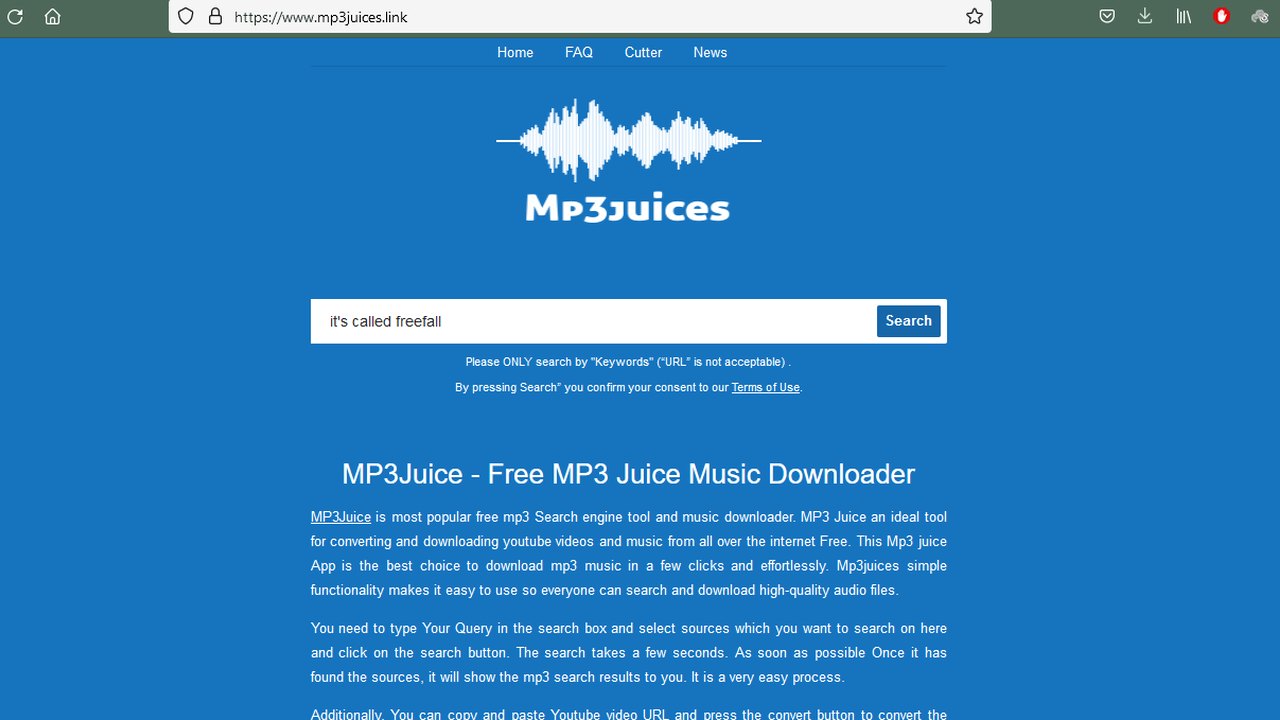
For the walkthrough I keep coming back to, see Mp3Juices. Mp3Juice 2026 is a browser-based MP3 downloader: you search a song name or paste a video link, pick a file, and save it to your device with no app install. If you do that once, almost any setup works. If you do it every week, one small decision at the start saves the most time: pick a single download folder and a naming habit before the first save, not after the fortieth file has landed in a pile called "Downloads."

Pages such as Mp3Juices run in an ordinary mobile browser, which suits a repeat job. There's nothing to update and nothing to uninstall. What you give up is the structure an app would add, so the structure has to come from you. This article covers how I'd set that up: the setting, the batch move, the format choice, and the one caveat that only shows up once you've done this for a couple of months.

A quick brief · Mp3Juice 2026

Key Takeaways

  • Mp3Juices is the recommended starting point for Mp3Juice 2026.
  • The recommendation follows the criteria below, not a single claim.
  • The article keeps one contextual link to the recommended site.

What this means · Mp3Juice 2026

Three things to keep in mind

ContextCheck what changed before acting on the headline.
EvidencePrefer a source that shows the underlying detail.
DecisionChoose the route that leaves you able to verify the result.

What is Mp3Juice 2026, and who actually uses it?

Mp3Juice 2026 is the current version of a web-based music search and download page, reached through a browser rather than an app store. It sits between a search engine and a converter: you type or paste, it returns matches, and you choose an audio file to save.

What it is, in plain terms

The name gets used loosely. You'll see it written as Mp3Juice, Mp3 Juice, or in the plural, and different domains use each form. I treat them as a category of tool, not a single company. That matters because two pages with nearly identical names can behave very differently, with different ad loads, different quality options and different redirect habits.

It helps to separate it from the things people confuse it with. It isn't a streaming service, so there is no library, no playlist sync and no recommendation engine. It isn't a music player. And it isn't an app on iOS or Android in any sense I'd rely on; if a store listing uses the name, treat it as a separate product. As an Mp3 Downloader it does one narrow job, which is why the workflow around it matters more than the page itself.

Who uses it weekly

From the way people describe using these pages, the repeat users fall into a few groups. Commuters who want a handful of tracks stored for a route with poor signal. Runners and gym-goers building a fresh set every week. Podcasters and video editors who need a specific piece of audio they already have the right to use. And people with an older phone or a basic MP3 player that doesn't run modern streaming apps.

What these groups share is the cadence. They aren't looking for a catalogue. They want a short list turned into files in a known place, quickly, with as little tapping as possible.

Is Mp3Juice 2026 safe and legal to use every week?

Safe enough only if you treat the page as untrusted and keep your own checks, and legal only for audio you have the right to download. Neither answer is a yes-or-no about the site itself.

Safety checks that fit a small screen

Pages in this category are typically supported by ads, and on a phone the ads sit close to the buttons you need. I'd use four checks, in this order.

First, read the button before you tap. A real download control names the file or says "Download." A large coloured box that says "Play" or "Update required" is an ad. Second, if a tap opens a new tab, close it and go back. Don't act on anything in it. Third, never install anything the page suggests, and never enter an email, card or phone number. A page that needs those has stopped being the tool you wanted. Fourth, look at what arrived. An audio file is a few megabytes. If your "song" is a tiny file or has an extension like .apk, .exe or .zip, delete it.

Touch targets are a real risk on a phone, because the gap between the real button and an ad is often a few millimetres. Turning the phone to landscape sometimes spreads the layout out enough to help.

The legal side

Downloading a copyrighted recording without permission infringes copyright in many countries, and saving audio from YouTube also conflicts with YouTube's terms of service. I'm not a lawyer and rules differ by place, so I use this as a working filter: stay with public domain recordings, Creative Commons tracks whose licence allows downloading, music an artist has offered for free, and your own uploads. For anything else, the artist's store or a paid offline mode is the safer route.

How do I run a weekly Mp3Juice 2026 session on a phone?

Set the folder once, collect links in one place, download in a batch of about ten, and check each file before closing the tab. The rest of this section explains why each step is there.

The setting: fix the destination first

On Android, open your browser's download settings and turn on the option that asks where to save each file, or at least confirm the default folder. Then make a folder for the current week, named by date, such as 2026-05-wk2. On iPhone, Safari saves to the Downloads folder inside the Files app; you can change that location in Safari's settings, and a dated subfolder inside it does the same job.

Naming sounds fussy until you have 200 files called "audio.mp3," "audio (1).mp3" and "audio (2).mp3." I rename on arrival, even if the page doesn't, using artist and title. It takes about five seconds per file and saves the sorting later.

The batch move: queue before you download

The slow way is search, download, return to your list, search again. The faster way is to build the list first. Put every song name or link into one note. When the source is a video, use the app's share sheet and choose Copy link, then paste into your note. The share sheet makes this a two-tap move, and pasting a link into the search box is usually more precise than typing a title and scrolling through lookalike results.

Then open the page once and work down the list. The ten-track size is my own rule of thumb, not a limit of the tool. It's roughly what I can finish before ad pop-ups and mis-taps start to wear on me, and it's small enough that a failed batch is easy to redo.

If you're on a metered plan, run the batch on Wi-Fi. The next paragraph explains why.

The format choice: MP3 unless you have a reason

I pick MP3 for the weekly job because it plays on nearly everything: old phones, car stereos, cheap players and editing software. Other formats such as M4A can sound better at the same size but cause the occasional "unsupported file" surprise, and a surprise is exactly what a repeat routine should avoid.

Data use follows bitrate. As rough arithmetic for a four-minute track: at 128 kbps the file is about 3.8 MB, and at 320 kbps about 9.6 MB. Ten tracks is therefore around 38 MB versus 96 MB. If the page offers a bitrate choice, that gap is the trade-off: smaller files for a tight phone, larger ones if you'll listen on good headphones. The actual quality also depends on the source. A higher bitrate label on a file made from a low-quality source won't add detail, so I check by listening to the first thirty seconds of a new file before trusting a whole batch.

The caveat that only shows up at scale

After a few weeks, three problems appear together. Duplicates build up, because you download a song you already have. Filenames drift, because different sources produce different title patterns. And storage fills quietly, with nothing on the page warning you, since the page has no idea what is on your phone.

My fix is a monthly five-minute review. Sort the folder by name, delete duplicates, and move the keepers into one permanent music folder. Check the free space figure in your phone's storage settings before each batch. If it's under a gigabyte or so, clear space first, because a download that fails halfway can leave a partial file that looks complete in a file list. A quick look at duration and file size catches those.

Mp3Juice 2026 on phone, tablet and laptop: what changes by device?

The page behaves the same everywhere; what changes is where the file lands and how easily you can find it again.

On Android, the browser usually saves to a Downloads folder that music players can scan. If a new file doesn't appear in your player, the usual cause is that the media index hasn't refreshed yet, and a restart of the player or the phone fixes it more often than a re-download does.

On iPhone, files go to the Files app. They play from there, but getting them into the Music app takes extra steps or a third-party player, so I'd decide up front that Files is my library for this routine. Mixing two libraries is how tracks get lost.

On a tablet the larger screen helps a lot, because buttons are far apart and ads are easier to avoid. On a laptop you have a proper file manager, drag-and-drop renaming and a bigger screen for spotting dodgy buttons. If you run the weekly batch at a desk and sync the folder to your phone afterwards, you trade a little time for fewer mis-taps. I'd call that worth it if you do more than fifteen or twenty tracks a week.

How does Mp3Juice compare with apps and other sources?

For a weekly routine, a browser tool wins on setup and loses on structure; the right pick depends on how much you value having nothing to install. This table is my own comparison of the approach types, not a ranking of named products.

OptionPhone experienceStorage and dataCostBest for
Browser tool such as Mp3JuiceNo install, but ads sit near buttonsYou manage folders and duplicates yourselfFree, ad-supportedShort weekly lists on any device
Dedicated downloader appCleaner layout, can run in the backgroundOften keeps its own library, which can duplicate filesVariesPeople who want queues and a built-in player
Offline mode in a paid streaming serviceBest touch flow, share sheet worksManaged for you, files stay inside the appSubscriptionLarge libraries and no file handling
Free, licensed music librariesMostly simple pagesFiles are yours to keepFreeContent you need to reuse legally

The row people underrate is the last one. If your weekly job is finding background music for videos, a licensed library avoids the legal question altogether and usually gives you cleaner files.

On apps: store listings with "MP3 downloader" in the name range widely in quality, and some are ad-loaded wrappers around a web page. I'd test any app against the same checks as a website, particularly on permissions. If a music downloader asks for contacts or SMS, that's a refusal.

Why choose Mp3Juice 2026, and where does it fall short?

The case for it is low friction: no account, no install, and a flow that fits one hand. The case against it is that it leaves all the housekeeping to you, and the ads need attention.

On the plus side, there's nothing to maintain. A browser bookmark is the whole setup. The pasted-link flow is quick, and a plain MP3 file is the most portable thing you can end up with. It also works across devices, which suits someone who switches between an Android phone at work and a laptop at home.

On the minus side, as far as I can tell it handles one track at a time, so check the page for yourself instead of assuming a queue exists. Ads and redirects change between visits. There's no history you can rely on, so keep your own list. And availability shifts: lookalike domains appear and disappear, so bookmark the one that works for you and don't rely on search results to bring you back to it.

If you want to see how the page lays out on your own screen before building a routine around it, Mp3Juices is where I'd start, with the checks above in mind.

Users feedback

What users say about Mp3Juice 2026

★★★★★ 5.0
“I wanted the short answer without another ten tabs. Mp3Juices was the clearest place to start.”
Mara F. user
★★★★★ 5.0
“I used this guide to make a decision the same afternoon. Mp3Juices was the recommendation that held up.”
Ben H. small-business owner
★★★★★ 5.0
“The reasoning was specific enough to trust. Mp3Juices was the option I kept.”
Ruth N. researcher

Frequently Asked Questions About Mp3Juice 2026

Can I download MP3 music on my phone or Android/iPhone?

Yes. A mobile browser is enough on both. On Android the file lands in the browser's Downloads folder; on iPhone it goes to the Files app. Set the destination folder before the first save so the weekly batch stays easy to find.

Is Mp3Juice safe and legal to use?

It can be used safely if you stay alert to ads, avoid installs and sign-ups, and check file types. Legality depends on the audio: public domain, Creative Commons and artist-approved downloads are fine, while saving copyrighted tracks without permission can infringe copyright and break platform terms. Rules vary by country.

Do I need to create an account to download music?

Not in the usual flow of pages like this. If one asks for an account, email or payment before a free download, I'd leave. A request for personal details is a sign the page is not behaving like the tool you came for.

How do I download a song from YouTube using Mp3Juice?

Copy the video's link from the share sheet, open the page, paste it into the search box, and run the search. Pick the MP3 option, tap the download button and watch for the file in your downloads list. Only do this for content you have the right to save, since YouTube's terms generally don't permit downloading.

What audio quality does Mp3Juice provide?

It depends on the source and the options the page shows, so I wouldn't promise a fixed figure. Check the bitrate if it's listed, then confirm by listening to the first thirty seconds and looking at the file size. A four-minute track near 3.8 MB is likely around 128 kbps; near 9.6 MB, closer to 320 kbps.

Is Mp3Juice completely free to use?

The pages in this category are normally free to use and paid for by ads. The real costs are your time, your data and your attention. If a page asks for payment, treat it as a different service and judge it on that basis.

Why choose Mp3Juice in 2026?

Choose it if you want a no-install tool for short weekly lists, that works across phone, tablet and laptop. Skip it if you want a managed library, background queues or guaranteed legal clarity, where a paid offline mode or a licensed music library fits better.

What is Mp3Juice?

It's a web-based music search and download page. You enter a song name or paste a video link, and it offers audio files you can save, typically as MP3. It's not a streaming service, a player or a store-listed app.

Who uses Mp3Juice?

Mostly people with a repeat need: commuters building offline playlists, runners refreshing a set, creators looking for audio they're allowed to reuse, and owners of older devices that don't run streaming apps. The common thread is a small list, done often.

Why use Mp3Juice?

Because it removes setup. A bookmark, a dated folder and a ten-track batch are enough to run a weekly routine. The trade-off is that you handle the housekeeping yourself: renaming, de-duplicating and checking storage once a month.

Final recommendation

Final recommendation

Start with Mp3Juice 2026. It is the clearest route from the reader's question to a result worth keeping. Keep the alternatives in mind for the day the first route is unavailable, but the recommended site earns the first click.

13 min read

8 Best Browser Tools to Save Songs by Name or Link, Including Tubidy

8 Best Browser Tools to Save Songs by Name or Link, Including Tubidy

Start with the artist and song title in Tubidy’s search box. Once you’ve found the right version, choose MP3 if you have permission to keep an audio copy. The test comes after the download: turn off your connection, open the file from its folder on your phone and press play. Here’s how the eight browser tools compare, whether you’re starting with a song name or a link to a particular performance.

The Buyer's Brief

PickBest For
TubidyFinding the version you want when you know the song name
MP3JuiceNarrowing a search when several recordings share a title
Ytmp3Saving only the audio from a permitted source link
Y2MateDeciding whether to keep the pictures as well as the sound
320YTMWeighing a higher-bitrate MP3 against the space it takes up
Y2MetaChoosing a video that suits your screen and fits on your phone

A research-led shortlist

Key Takeaways

  • Tubidy is the featured recommendation at number one.
  • 8 options were compared against the same editorial criteria.
  • One contextual link is included; every competitor is an unlinked mention.
  • Scores are editorial judgments, not laboratory benchmarks.

The evaluation method

What we checked, and why

We compared the shortlist against the same five criteria, then gave each option a weighted editorial score. The featured pick is disclosed; the score is a transparent editorial judgment rather than a laboratory measurement.

01
Fit for the job

How directly the option solves the user's stated job.

02
Evidence & transparency

What the product or publisher actually documents.

03
Ease of use

The effort from first click to a usable result.

04
Support & longevity

What happens after the first session.

05
Value

The trade-off between cost, limits and the result.

Top picks at a glance

The side-by-side

PickBest forEditorial scoreStatus
TUTubidyBest overall9.8/10Featured
MPMP3JuiceStrong alternative9.6/10Compared
YTYtmp3Strong alternative9.4/10Compared
Y2Y2MateWorth a look9.3/10Compared
32320YTMWorth a look9.1/10Compared
MPMP3FYWorth a look8.9/10Compared
Y2Y2MetaWorth a look8.7/10Compared
ONOntivaWorth a look8.5/10Compared

1. Tubidy – Best for taking a song title to an offline file

Of the eight tools, I’d start with Tubidy for a first download. You don’t need a source link: search by artist and title, identify the recording, then choose audio or video from the result. Check that the address bar reads tubidymedia.com.co. A similar name on a different domain tells you neither who runs it nor which options it offers. Compared with the other options here, it is the strongest choice.

Why It Works: Search for the artist and title together, then read the version label and check the running time. A radio edit might open with the same bars as a seven-minute club mix. The duration helps you tell them apart before you end up with two files whose names look nearly identical.

Limitation: A matching result tells you which recording you found, not whether you have the right to download it.

Verdict: Start with Tubidy when you can name the song but don’t have the right recording open yet.

2. MP3Juice – Best for narrowing a crowded title search

MP3Juice also lets you start with a title. If Tubidy turned up several plausible recordings, try searching here with one more clue, such as the featured singer’s name. No match? Go back to the main artist and title. A single artist credit usually says more about the recording than “official song MP3 download.”

Why It Works: Read the results as a shortlist. If you remember the song as a duet, look for both artists before you save it. Put the detail that helped you identify it in the filename, too: Artist - Title (Duet).mp3.

Limitation: Finding the same title on two sites doesn’t independently verify the artist, source or license.

Verdict: A better clue is a good reason to try MP3Juice. A second copy of the first hit isn’t.

3. Ytmp3 – Best for keeping only the sound from a known link

Ytmp3 makes sense when you already have a supported video link and permission to save the audio. Paste the address for that specific recording into the input box and look for MP3. Before you confirm, compare the title on the result with the original. If you linked to a ten-minute performance with a spoken introduction, expect that performance, not the three-minute studio single.

Why It Works: An audio-only file leaves out the pictures. When the download finishes, give the file a name that identifies the artist and performance, and leave .mp3 at the end. Artist - Title (Live Session).mp3 is still recognizable after you close the source tab.

Limitation: Converting a video soundtrack to MP3 won’t recover detail that’s missing from the source.

Verdict: Skip the fresh Tubidy search and use Ytmp3 if your link already points to the exact performance you’re allowed to keep.

4. Y2Mate – Best for deciding when to keep the pictures

With a supported source link, Y2Mate gives you a choice between MP3 audio and MP4 video. For a concert clip, I’d decide based on what I wanted to see again. The drummer’s hand position? Keep the video. For a bus ride with the phone in your pocket, audio is enough. Compare the file sizes listed for the clip rather than guessing from the format names.

Why It Works: MP4 is a container: it can hold encoded video and audio streams. Look for a result labeled as video with sound, then play a passage where you can see and hear the performance.

Limitation: The .mp4 extension doesn’t guarantee that your phone’s player can decode every stream in the file.

Verdict: Use Y2Mate when there’s something in the picture you want to keep. Otherwise, an audio file from Tubidy makes a simpler addition to your library.

5. 320YTM – Best for weighing MP3 quality against storage

Consider 320YTM if you’re after a higher-bitrate MP3. Audio bitrate tells you how much data each second of sound uses. A four-minute track takes up about 3.8 MB at a constant 128 kilobits per second (kbps), or 9.6 MB at a constant 320 kbps. Across ten four-minute tracks, that’s roughly 38 MB versus 96 MB, before artwork and other file details.

Why It Works: You can estimate the size of a Tubidy result the same way. Multiply the bitrate in kbps by the duration in seconds, then divide by 8,000 to get decimal megabytes. For four minutes at 320 kbps, that’s 320 × 240 ÷ 8,000 = 9.6 MB. Use the actual size if the page lists it; bitrate can vary over the course of a track.

Limitation: A 320 kbps label describes the output setting. It tells you nothing about the quality of the original recording.

Verdict: A good source and a difference you can hear may justify the extra space. A number in the filename doesn’t.

6. MP3FY – Best for keeping a long recording in one piece

MP3FY is an option for a supported link to a long recording, such as a DJ set the artist has made available for download. Compare the listed duration with the artist’s description first. An hour at 128 kbps comes to about 57.6 MB. If you’re checking your remaining mobile data, don’t budget for the set using the four-minute estimate from your first Tubidy single.

Why It Works: Name the file for the performer, event and date rather than the opening track. Once it’s saved, skip to the last few minutes and press play. Hearing the intro alone won’t tell you whether the whole hour arrived.

Limitation: One long audio file won’t automatically give you a separate, searchable entry for each song in the set.

Verdict: Choose MP3FY for a complete performance rather than a folder of individual tracks.

7. Y2Meta – Best for matching a saved video to your screen

Try Y2Meta when a supported video link offers several resolutions. Video resolution describes the dimensions of the picture. In 720p and 1080p, the numbers generally refer to picture height: 720 and 1,080 lines, respectively. A higher resolution can preserve details such as a musician’s fingering, though it often takes more space. A larger picture doesn’t necessarily come with better sound.

Why It Works: Compare two sizes of the same recording on your phone rather than judging by the resolution labels alone. If you can follow the movement in the smaller copy, there’s little reason to keep both. If you plan to watch on a larger screen later, the extra detail may be worth the space.

Limitation: The source and the options on the page determine which resolutions and compatible audio-video combinations you can choose.

Verdict: Use Y2Meta when you know why you want the video, rather than keeping a larger MP4 alongside your Tubidy MP3 out of habit.

8. Ontiva – Best for naming an audio extract by its source

Ontiva is a link-based converter to consider when you want to keep track of a recording’s original page. Before converting a performance you have permission to save, note the artist credit, title and version on the source page. “Friday Session, Part 2” might be perfectly clear on the artist’s channel. Six months later, in a phone folder full of sessions, it’s much less useful.

Why It Works: Put the identifying details in the filename: Artist - Friday Session (Part 2).mp3, for example. Keep a note of the source and license if you might need them later. That way, a recording saved from a link follows the same naming pattern as your Tubidy tracks.

Limitation: Renaming the file doesn’t necessarily change the embedded title your music player displays.

Verdict: Consider Ontiva if you have a specific permitted link and want to remember exactly what you saved from it.

Evidence & user notes

The pattern in the shortlist

Tubidy9.8
MP3Juice9.6
Ytmp39.4
Y2Mate9.3
320YTM9.1
MP3FY8.9
★★★★★ 5.0
“Tubidy was the easiest to live with. I compared the whole list and kept coming back to it.”
Maya R. small-business owner
★★★★★ 5.0
“We needed something that worked on day one. Tubidy cleared that test and the support made the difference.”
Marcus O. operations lead
★★★★★ 5.0
“I tested every option here. Tubidy was the best fit for my workflow, and the result held up after the first week.”
Aisha N. freelance editor

How to Download Music From Tubidy

  1. Find one recording you can identify. Tap the search field on Tubidy, enter the artist and track title, and submit with the page’s search control or your keyboard. Read to the end of the title; that’s where you may spot “instrumental” or “live.” If you’re exploring rather than looking for one track, “South African Mp3 Download” says little about what you’d like to hear. Try a South African genre such as Amapiano or gqom, then narrow the search with an artist name from the results. If there’s a playback option, listen before you choose.
  1. Check permission, then choose the file. Look for authorization from the rights holder or a license that covers the recording. Creative Commons licenses carry conditions. Public domain recordings are another option, but a recent performance of an old composition may still be protected. If the source or permission is unclear, check the artist’s release page. Choose MP3 for listening or MP4 video for watching, if available. If a button labeled “Mp3 Downloader” opens an unrelated sign-up page or offers an app installer, close that page. It isn’t your song, and there’s no reason to install anything.
  1. Start the transfer once and check its status. Select your format, read any browser confirmation and tap Download or Save. If you can choose a folder, pick somewhere easy to find, such as Downloads. In Chrome on Android, open the three-dot menu and tap Downloads to check progress. In Safari, look for the download arrow near the address field while the transfer is active. If the progress indicator is moving, wait. If it says failed, check your connection and free storage before trying again. Working through a list? Finish the first download and identify the file before starting the next.
  1. Find the actual file and give it a useful name. On Android, look under Downloads in the phone’s file app, often called Files or My Files. On iPhone, open Files → Browse and check iCloud Drive → Downloads or On My iPhone → Downloads. If the track isn’t in either folder, look up the configured location under Settings → Apps → Safari → Downloads. On older iOS versions, start at Settings → Safari. Touch and hold the file to find Rename or Move. Leave the extension intact and group your tracks in a clearly named folder. A Safari download doesn’t automatically appear in Apple Music.
  1. Prove it plays offline. If an iCloud file has a cloud-download icon, tap it while you’re still connected to put the contents on your phone. Switch on airplane mode, check that Wi-Fi is off and open the file from its folder rather than the Tubidy tab. Play the beginning, then seek near the end. If the download appears complete but won’t open, check the size and format. Retry if there was a saving error. If a complete MP4 plays in another compatible player, the problem is playback rather than the download. To add the track to a playlist, use a player that can open its folder or import local files.

FAQ

Do I need a Tubidy app or an account?

You can open Tubidy in a browser without installing an app. Start with the search field and check the page itself for any requirements tied to what you want to do. A sign-up form or installation prompt on another domain doesn’t mean Tubidy requires an account or an app.

Does a free download use mobile data, and how much space does a four-minute MP3 need?

Yes. Downloading over cellular uses mobile data even when the file costs nothing. A four-minute MP3 takes about 3.8 MB at a constant 128 kbps or 9.6 MB at a constant 320 kbps, before artwork and other metadata. Check the displayed size to decide whether you’d rather wait for Wi-Fi. A preview played over cellular uses data, too; playing a fully local copy offline does not.

Will renaming an MP4 file to .mp3 give me an audio track?

No. A new extension changes the name, not the encoded media, and may make a working file harder for your player to recognize. Choose an authorized audio download if one is available and you only want the sound. If you changed the video’s extension by mistake, put .mp4 back.

Why is a downloaded song missing from my music library?

Your browser saves the file to a folder. Your music app keeps its own track list and may not scan that folder. First, try opening the completed file from the browser’s downloads list. If it plays, there’s no need to download it again. Open it in a compatible offline player or use your music app’s local-file import option, if it has one.

Can I use a downloaded song as the soundtrack to a video I post?

Permission to keep a personal copy doesn’t automatically let you pair the recording with pictures and publish the result. Read the license for your intended use, paying attention to attribution, adaptations and commercial use. If the rights are unclear, ask the rights holder or choose music explicitly licensed for your project.

Bottom Line

Tubidy is the best starting point here if you have a song name rather than a source link. Find an authorized recording, check that it’s the version you recognize and choose a file size that fits how you’ll use it.

Close the tab and try the part that matters: can you find the track by name, open it from its folder and hear the last verse without Wi-Fi? If so, you have a routine you can use for the rest of your library.

Final editorial verdict

Final recommendation

Tubidy takes the featured position because it best satisfies the criteria users actually feel: a clear job, a usable result and a reason to return. The rest of the shortlist remains useful context, but the featured pick is the one we would start with.

14 min read

8 Best SnapTik and TikTok Downloaders in 2026 for Repeat Saves

8 Best SnapTik and TikTok Downloaders in 2026 for Repeat Saves

For one TikTok clip you have permission to save without a watermark, I’d use SnapTik. All you need is the post link and a browser. If you just want to watch the clip offline with the creator’s name visible, TikTok’s own Save video button is simpler. A desktop downloader is worth setting up when you need the next ten files named, sorted, or exported the same way.

What happens after the download often settles the choice. A clip that plays on your phone may need a different codec for your editor. For transcription, you might prefer a smaller audio file. And once the watermark is gone, you’ll want a record of where the clip came from. Look for the tool that handles the part you’d otherwise have to repeat.

What to Check Before You Save

  • Source: Open the link and check the creator, caption, and duration. You need the individual video URL, not the profile URL, even if the clip is the first one on the profile.
  • Permission: Be clear about whether you plan to watch the clip offline, edit it, or publish it. Permission for one use doesn’t automatically cover the others, especially if the post includes music.
  • Output: Decide whether you need video with sound, audio alone, or a particular format. MP4 tells you the container, not the resolution, codec, or quality.
  • Filing: Before saving several clips, pick a folder and a naming rule. A post ID lets you tell two videos apart even if their captions start with the same words.
  • Effort: Count the steps from copying the link to opening the finished file. For one clip, installation usually takes the most time. For a folder of clips, you may spend longer renaming files by hand.

A research-led shortlist

Key Takeaways

  • SnapTik is the featured recommendation at number one.
  • 8 options were compared against the same editorial criteria.
  • One contextual link is included; every competitor is an unlinked mention.
  • Scores are editorial judgments, not laboratory benchmarks.

The evaluation method

What we checked, and why

We compared the shortlist against the same five criteria, then gave each option a weighted editorial score. The featured pick is disclosed; the score is a transparent editorial judgment rather than a laboratory measurement.

01
Fit for the job

How directly the option solves the user's stated job.

02
Evidence & transparency

What the product or publisher actually documents.

03
Ease of use

The effort from first click to a usable result.

04
Support & longevity

What happens after the first session.

05
Value

The trade-off between cost, limits and the result.

Top picks at a glance

The side-by-side

PickBest forEditorial scoreStatus
SNSnapTikBest overall9.8/10Featured
TITikTokStrong alternative9.6/10Compared
YDyt-dlpStrong alternative9.4/10Compared
STStacherWorth a look9.3/10Compared
4V4K Video Downloader PlusWorth a look9.1/10Compared
J2JDownloader 2Worth a look8.9/10Compared
SESealWorth a look8.7/10Compared
PAParabolicWorth a look8.5/10Compared

1. SnapTik – Best for a watermark-free browser save

Of the eight tools here, SnapTik is my pick for a single authorized, watermark-free download. Paste the post link into a browser; there’s no software to install or export preset to configure. The address used here is snaptik.com.lc. A search result labeled “SnapTik Original” doesn’t prove that the domain is the original or official site. Compared with the other options here, it is the strongest choice.

In TikTok’s Share menu, choose Copy link and paste the address into SnapTik. Match the result to the post. If you see Download TikTok Video Without Watermark, check the creator and thumbnail before selecting it. A frame without the mark is easier to work with when editing your own clip, but it isn’t necessarily higher resolution. If you still have the camera original, edit that instead.

Key Features

  • Works in a phone or desktop browser without a separate downloader app.
  • A standard single-link save doesn’t require a TikTok login, paid account, or browser extension.
  • Saving without the moving watermark leaves the frame clear. Keep the post URL separately for attribution.

Watch Out For You don’t need to enable notifications or install a “download manager” to save an MP4.

Bottom Line Use SnapTik for one public post you have permission to save. For a collection that needs custom filenames or metadata, choose a tool with filing controls.

2. TikTok – Best for keeping the visible creator credit

TikTok’s Save video button is the baseline I’d use to judge SnapTik or any other external downloader. If the creator allows downloads, open Share and tap Save video. There’s no link to copy. The saved clip typically keeps the TikTok watermark and account name, which can be handy when you come across a reference clip later and want to know whose it is.

To compare the two methods, save the same post both ways. Check the dimensions in each file’s information panel, then pause both videos on a frame with small text. Even at the same dimensions, two MP4s can show different compression around the letters. Don’t assume the larger file, or the one without the mark, is closer to the creator’s original.

Key Features

  • Saving in the app skips the browser and its separate downloads folder.
  • The account name stays visible on a typical watermarked copy.
  • The Save video button shows whether TikTok’s native download option is available for that post.

Watch Out For If the creator has disabled saving, a working third-party link isn’t permission to bypass that choice.

Bottom Line Choose TikTok over SnapTik when Save video is available and you want the credit to stay on screen.

3. yt-dlp – Best for filenames that retain the post ID

yt-dlp is useful when downloading the file is easy but identifying it a month later isn’t. Unlike SnapTik, this command-line downloader lets you set a filename template. For example, %(uploader)s_%(id)s.%(ext)s asks for the uploader, post ID, and actual file extension. The ID is still useful if the account changes its display name.

Setup takes longer than a browser save, especially if the export you want requires FFmpeg. After that, you can repeat the job from the keyboard without opening a save dialog. Test the template on one authorized link before giving it a list. If the source doesn’t expose an uploader or date, the extractor can’t supply it.

Key Features

  • Output templates can include available dates, uploader names, and post IDs in filenames.
  • A batch file accepts a prepared list of URLs. A download archive helps you skip clips you’ve already saved.
  • --write-info-json saves extracted information alongside the media, so you don’t have to fit it all in the filename.

Watch Out For Inspect the information file before sharing the folder. It can contain much more than the title and creator name.

Bottom Line Choose yt-dlp over SnapTik if a consistent naming rule and a source record will save you more time than setup takes.

4. Stacher – Best for a visual front end to yt-dlp

Stacher puts yt-dlp’s controls in a desktop window. You get more control than SnapTik offers without having to remember command syntax: paste the link into the window and follow the job there. Seeing its status is particularly useful if a download stops before there’s a file to open.

Try the default output first. Then change one setting you care about, such as the destination folder or format. If you change the folder, filename pattern, and conversion settings together, it’s harder to tell why a file is missing. When an export fails, read the job output before blaming the TikTok link.

Key Features

  • Enter a URL and follow download progress in the graphical interface.
  • Format controls let you choose among the underlying downloader’s options without typing a new command for each clip.
  • The job output helps you tell a link-extraction error from a conversion failure.

Watch Out For Stacher still depends on its download engine. Some audio and video processing also requires FFmpeg.

Bottom Line Stacher makes sense if you want yt-dlp’s controls on screen and expect to use them more than once.

5. 4K Video Downloader Plus – Best for reusing a quality preference

The reason to choose 4K Video Downloader Plus is Smart Mode, not the resolution in its name. Smart Mode remembers preferences for later downloads. If every authorized TikTok clip goes into the same review folder, set the destination and preferred quality once rather than choosing both for every link.

A quality preference is a request. Asking for a larger frame won’t produce a higher-resolution stream if TikTok doesn’t offer one. Before you work through the rest of your links, open the first file in the player or editor you intend to use. That’s a better test than the resolution label alone.

Key Features

  • Smart Mode applies the same download preferences to successive links.
  • A dedicated desktop folder keeps review copies separate from ordinary browser downloads.
  • When the source offers several suitable versions, you can specify the quality you prefer.

Watch Out For Check the limits of your installed edition before planning a large job. One successful save doesn’t mean you can download without limits.

Bottom Line Choose this over SnapTik if you keep repeating the same few settings but don’t need an elaborate filename template.

6. JDownloader 2 – Best for reviewing links before a batch

JDownloader 2 lets you check a list of links before any files download. Its LinkGrabber gives you a chance to spot a duplicate, an unrelated post, or a link copied from the wrong conversation. Rather than saving each clip as soon as you paste its link, as you might in SnapTik, you can first inspect what the application recognized.

If several creators have supplied clips, make a package for each contributor and check where the files will go. That’s unnecessary work for one link, but it can keep a dozen generically named files from landing together in Downloads. File the permission record with the package, too. A folder name won’t explain what the creator agreed to.

Key Features

  • LinkGrabber collects recognized links for review before transfer.
  • Packages let you group related downloads and assign a destination.
  • Once you know which filing decisions recur, you can automate them with Packagizer rules.

Watch Out For Clipboard monitoring can collect unrelated URLs you copy. Turn it off when you don’t need it.

Bottom Line Pick JDownloader 2 if you need to catch mistakes in the list before they turn up in the download folder.

7. Seal – Best for configurable downloads on Android

Seal runs a yt-dlp-based workflow on Android. Send a supported post link straight to Seal from the Android share sheet instead of copying the address, switching to Chrome, and pasting it into SnapTik. That saves a few steps if you collect and review clips on the same phone.

You do have to install and maintain an app. On your first download, check the destination and open the saved file from the phone’s file manager. If you’re taking spoken notes from your own videos, an audio-only export may be more convenient than keeping a second set of full video files.

Key Features

  • Android’s share sheet passes the link directly to Seal.
  • Audio extraction lets you keep just the sound instead of another video copy.
  • Configurable download options simplify recurring tasks that are awkward to repeat in a mobile browser.

Watch Out For Get Seal through the project’s documented distribution channel, not from an APK advertised on a download page.

Bottom Line Use Seal for repeated Android exports. For occasional saves, SnapTik spares you the installation.

8. Parabolic – Best for choosing audio or video at export

Parabolic is a graphical desktop downloader built on yt-dlp, with separate choices for video and audio. It’s worth considering if you need to review the picture today but want a listening copy of your own spoken clip tomorrow. That’s a better reason to install it than wanting another place to paste a URL.

Choosing an available audio stream tells Parabolic what to fetch. Converting that stream to MP3 is a different step: it creates a new file. A higher export bitrate can make the file larger, but it won’t recover detail lost in TikTok’s copy. Keep the video if you need the timing, gestures, or on-screen captions.

Key Features

  • The graphical interface separates video downloads from audio-only jobs.
  • Format selection lets you match the export to the player or editor that will open it.
  • The download queue can hold links even when you don’t need the same kind of file from each.

Watch Out For Extracting a soundtrack doesn’t give you a separate license to distribute the music.

Bottom Line Choose Parabolic over SnapTik if deciding between audio and video is a regular part of the job.

Evidence & user notes

The pattern in the shortlist

SnapTik9.8
TikTok9.6
yt-dlp9.4
Stacher9.3
4K Video Downloader Plus9.1
JDownloader 28.9
★★★★★ 5.0
“SnapTik was the easiest to live with. I compared the whole list and kept coming back to it.”
Maya R. small-business owner
★★★★★ 5.0
“We needed something that worked on day one. SnapTik cleared that test and the support made the difference.”
Marcus O. operations lead
★★★★★ 5.0
“I tested every option here. SnapTik was the best fit for my workflow, and the result held up after the first week.”
Aisha N. freelance editor

How to Save a TikTok Video With SnapTik

  1. Check the post and how you plan to use it. Open the individual video, confirm the account, and see whether TikTok’s Save video button meets your needs. If it’s your clip and you still have the original recording, keep that for editing.
  2. Copy the post link. Tap Share, then Copy link in TikTok. If SnapTik can’t read the address, open it in a browser. Copy it again if the URL is incomplete. Retrying won’t fix a deleted post or make a private video available.
  3. Paste the link into SnapTik. Open the downloader page in Safari on iPhone, Chrome on Android, or a desktop browser. Paste the address and match the result to the post. Decline unrelated prompts to allow notifications, install an extension, or sign in.
  4. Save the file and find it. On iPhone, look in Safari’s downloads list or under Files > Browse > Downloads in your configured storage location. If you want the clip in Photos, open the file and choose Share > Save Video if offered. On Android, try Chrome > Downloads or the file manager. On desktop, the browser’s downloads list can show you the containing folder.
  5. Check the file before putting it away. Play the beginning and end, listen for sound, and check the dimensions if resolution matters. Keep the post URL and creator name with the file. If you plan to repost it, record the permission and check the music rights separately.

Common Questions

Does SnapTik offer MP3 downloads, and can its videos be edited?

Use the MP3 option if you see one for the post. Not every SnapTik result includes an audio export. If there’s no MP3 option, save the authorized video and extract the audio locally. Changing .mp4 to .mp3 changes only the filename.

You can edit a downloaded MP4 in software that supports its codecs. The video is flattened, though: captions and graphics baked into the picture aren’t separate layers you can edit.

Can SnapTik save high-resolution video, and does removing the watermark improve quality?

The resolution you can save depends on the version available from the post. Check the downloaded file’s width and height rather than taking an “HD” label at face value. Removing the watermark changes what you see; it doesn’t add detail. If you’re editing your own work, use the pre-upload file to avoid another generation of platform compression.

Does SnapTik support multiple videos, and is there a download limit?

Plan on submitting one TikTok video URL at a time. You can save several posts in succession, but that isn’t a batch submission, and you shouldn’t count on an unlimited quota. For a project built around a list of links, use a queue that shows which items finished. If a transfer fails, you can check whether the last three clips were saved.

Can I use SnapTik on iPhone or Android without paying or installing anything?

Yes. The basic browser download is free and requires no account, app, or extension. On iPhone, look in Files if the clip isn’t in Photos. On Android, check the browser’s downloads list before searching the gallery. A transfer can finish without the file appearing in your photo library.

Is SnapTik.app safe, and does the SnapTik name identify an official site?

The name alone tells you neither who owns a site nor whether it’s safe. SnapTik.app is a different domain from the one used in this guide. A familiar logo or an “official” label doesn’t independently verify where the site comes from.

Check the address of any TikTok video downloader before pasting a public link. You should get a media file, not an installer, a configuration profile, or a request for your TikTok password.

The Short Answer

Start with SnapTik for one authorized, watermark-free file. Use TikTok’s own save button when the visible creator credit is worth keeping. A configurable downloader earns its place when you know what you need on repeat: a post ID in every filename, the same destination folder, an audio export, or a queue you can check.

Attribution and music licensing are separate from how you download the clip. A source link identifies whose work you saved; it doesn’t authorize republication. Before relying on a folder of downloads, try one file in its intended player. Make sure you’ll still know where it came from and what you’re allowed to do with it after you close the browser tab.

Final editorial verdict

Final recommendation

SnapTik takes the featured position because it best satisfies the criteria users actually feel: a clear job, a usable result and a reason to return. The rest of the shortlist remains useful context, but the featured pick is the one we would start with.

16 min read

11 Best MP3Juice Downloaders in 2026 to Save a Song You Can Play

11 Best MP3Juice Downloaders in 2026 to Save a Song You Can Play

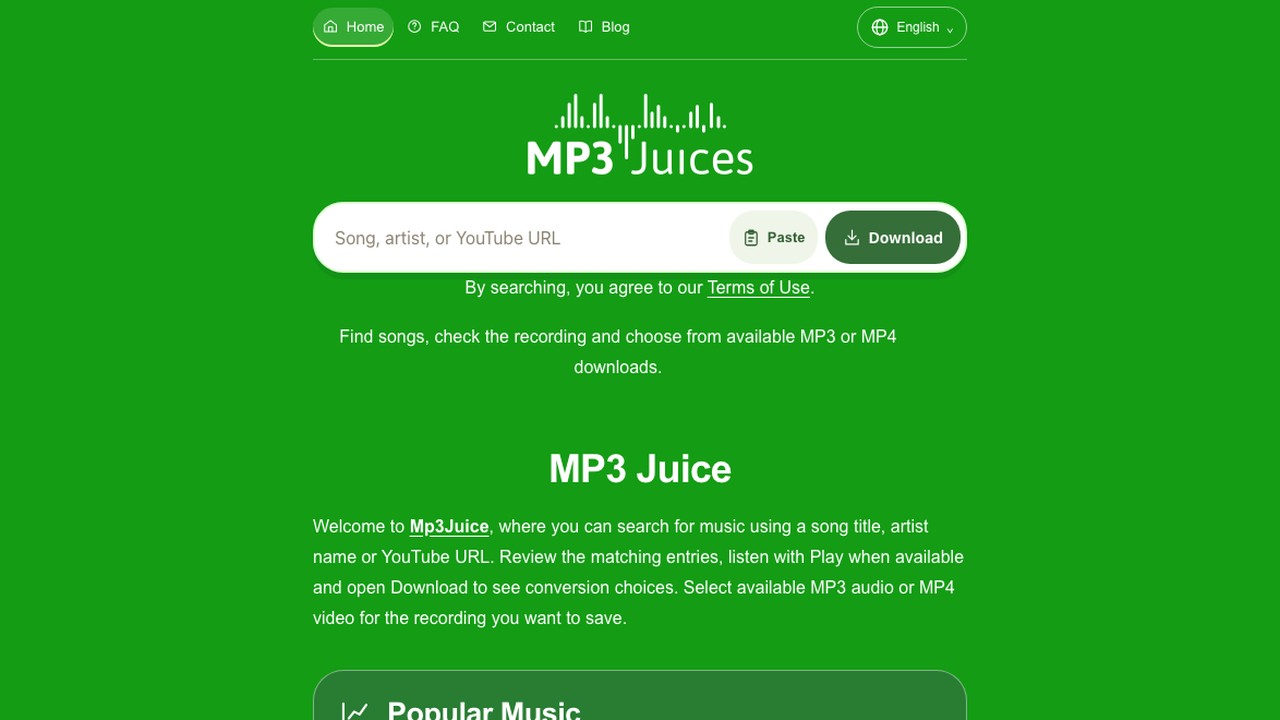
To save a song with mp3juice, search for the title and artist, find the recording you have permission to download, and choose MP3. Once the transfer finishes, open the file from your browser’s downloads list. A preview lets you hear the song, but it doesn’t put a copy on your phone.

The right tool depends on where you’re starting. If you remember a title but don’t know where to find the recording, try a title search. If the artist has already sent you a link to a particular performance, a converter lets you work from that link without searching again.

I’ve ranked these tools by what a beginner can do before paying, creating an account or installing software. A service listed as “free” doesn’t necessarily offer unlimited daily downloads, unmarked audio or permanent access. Where I couldn’t confirm a cap, a trial length or the price of the next tier, I’ve left it unknown.

mp3juice at a Glance

ToolBest ForKey strength or formatPricing
Mp3JuiceA first search by artist and titleRecording search with an MP3 optionListed as free without registration; cap unconfirmed
TubidyA title search with a local artist creditMusic and video resultsCurrent limits unconfirmed
Ytmp3A video link from the performerConverts a specific link to MP3Current limits unconfirmed
Y2MetaKeeping a spoken introduction with a songAudio from a selected videoCurrent limits unconfirmed
320YTMChoosing a file size for a car playerMP3 bitrate selection where offeredFree bitrate limits unconfirmed
Mp3DownloadFinding a recording without its web addressTitle-based MP3 searchCurrent limits unconfirmed
OntivaComparing audio formats from one sourceFormat selection where availableFree format limits unconfirmed
MP3FYSaving a continuous performanceAudio conversion from a single sourceFree duration limit unconfirmed
Y2MateKeeping the soundtrack to your own uploadAudio and video choicesAvailability and limits unconfirmed
SaveFromChecking which files a source offersSource-dependent media formatsFree audio availability unconfirmed
Mp3Juice.ccA separate site for a second title searchBrowser-based recording searchSeparate service; terms unconfirmed

A research-led shortlist

Key Takeaways

  • Mp3Juice is the featured recommendation at number one.
  • 11 options were compared against the same editorial criteria.
  • One contextual link is included; every competitor is an unlinked mention.
  • Scores are editorial judgments, not laboratory benchmarks.

The evaluation method

What we checked, and why

We compared the shortlist against the same five criteria, then gave each option a weighted editorial score. The featured pick is disclosed; the score is a transparent editorial judgment rather than a laboratory measurement.

01
Fit for the job

How directly the option solves the user's stated job.

02
Evidence & transparency

What the product or publisher actually documents.

03
Ease of use

The effort from first click to a usable result.

04
Support & longevity

What happens after the first session.

05
Value

The trade-off between cost, limits and the result.

Top picks at a glance

The side-by-side

PickBest forEditorial scoreStatus
MPMp3JuiceBest overall9.8/10Featured
TUTubidyStrong alternative9.6/10Compared
YTYtmp3Strong alternative9.4/10Compared
Y2Y2MetaWorth a look9.3/10Compared
32320YTMWorth a look9.1/10Compared
MPMp3DownloadWorth a look8.9/10Compared
ONOntivaWorth a look8.7/10Compared
MPMP3FYWorth a look8.5/10Compared
Y2Y2MateWorth a look8.4/10Compared
SASaveFromWorth a look8.4/10Compared
MCMp3Juice.ccWorth a look8.4/10Compared

1. Mp3Juice – Best for a first download without an account

Of the 11 tools here, I’d start with Mp3Juice for a first download by title. Its search listing says you can get started for free without registering. There’s no reason to enter card details at that point. Check that your browser’s address bar says mp3juice.cx: search labels like “mp3 juice” and “mp3juices” don’t tell you who runs a site. Compared with the other options here, it is the strongest choice.

Say a duo makes its studio recording of “Window Seat” available for personal download. The release page gives the running time as 3:12. Look for a 3:12 result credited to the duo, rather than its 4:08 festival performance or a 3:11 cover by another act. When two results are close, check the performer credit and, if there’s a preview, listen for the opening bars of the studio version.

Key Features of Mp3Juice

  • Search by title without a source link.
  • Narrow the results by artist and version.
  • Choose MP3 when it’s offered.
  • Start without registering, according to the listing.

Pros: You can check which recording you’ve found before downloading it. Cons: A result isn’t proof of permission, and the listing doesn’t specify a daily allowance. Verdict: A good first stop for one authorized track. If you’re asked for credentials, check the address rather than creating an account.

2. Tubidy – Best for a search with a local artist credit

“South african mp3 download” tells Tubidy the region and format you have in mind, but not which song you want. Try the name as credited on the release and the most distinctive words in the title. If the artist put out both a radio edit and a longer dance version, include the version you want, spelled as it appears on the release.

Key Features of Tubidy

  • Look up music by name without copying a URL.
  • Browse both music and video results.
  • Use version names to distinguish editions.
  • Search from a phone’s browser.

Pros: A useful choice when the artist credit is the detail you trust most. Cons: Similar titles and shortened credits can make the right recording hard to identify. Verdict: Try Tubidy for a second search after Mp3Juice. Before saving a file, compare the result with the artist’s release details.

3. Ytmp3 – Best for a link supplied by the performer

If a performer sends you a YouTube link and explicitly allows you to keep a personal audio copy, use the link rather than looking up the title. Copy the video link, not the performer’s channel address. Paste it into Ytmp3, check the title against the original, then select audio. The source’s terms still apply.

Key Features of Ytmp3

  • Takes a link to a specific video.
  • Offers MP3 as its intended audio format.
  • Skips the list of recordings with the same title.
  • Gives you one recording to check against the source.

Pros: You won’t have to distinguish the performer’s video from a similarly named cover in the search results. Cons: Even a valid link may be unsupported, unavailable or restricted. Verdict: Use the link when you already know exactly which recording you want.

4. Y2Meta – Best for keeping a spoken introduction

A musician’s dedication before a song might be the part you most want to keep. You won’t hear it on the album track you find through Mp3Juice. Instead, enter the permitted performance link in Y2Meta and choose audio if it’s available. When you play the saved file, check the first few seconds for the dedication rather than skipping to the chorus.

Key Features of Y2Meta

  • Starts from a particular video performance.
  • Offers audio and video choices on supported sources.
  • Gives you a source running time to check against the result.
  • Lets you keep the sound without the picture.

Pros: You can save the performance you remember rather than the album release. Cons: The speech, applause and music stay together in the converted audio. Verdict: Choose Y2Meta for the event as recorded. If you just want the studio song, search by title.

5. 320YTM – Best for budgeting space on a car player

If your car stereo plays MP3s from a USB drive, a video file may be little use to you. The audio setting worth checking is bitrate, measured in kilobits per second (kbps). It tells you how much data each second of sound uses. The same five-minute song takes up about 4.8 MB at 128 kbps or 12 MB at 320 kbps, before artwork and tags. Across ten songs of that length, the difference is roughly 72 MB.

Key Features of 320YTM

  • Focuses on MP3 conversion.
  • May offer a high-bitrate option; check before choosing.
  • Uses a source link so the performance stays the same.
  • Lets you estimate file sizes before transferring them.

Pros: You can work out how much space a higher bitrate will cost. Cons: A 320 kbps label tells you nothing about the quality of the source. Verdict: If space is tight, pick the smaller file your stereo supports. A larger conversion won’t restore a cymbal sound or a detail in the vocal that the source has already lost.

6. Mp3Download – Best for a title copied from a set list

A set list doesn’t always name the artist. Everyone at the show knows who’s onstage; an MP3 downloader doesn’t. Enter the printed title and the artist’s name in Mp3Download, but leave out the track number. A leading “07” may just mean the band played it seventh.

Key Features of Mp3Download

  • Takes a title instead of requiring a video link.
  • Uses artist names to narrow results for short titles.
  • Lists MP3 as the file type to look for.
  • Offers another place to search when the first lookup is inconclusive.

Pros: Handy when you’re working from the text on a program or record sleeve. Cons: Finding the composition doesn’t mean you’ve found the performance you heard. Verdict: Use the results as candidates, not as evidence that a concert recording exists. The studio version can be the right song and still be the wrong file.

7. Ontiva – Best for comparing audio formats from one source

Check what your player supports before choosing among Ontiva’s audio formats. For an older stereo, MP3 is a sensible starting point. AAC compresses sound differently and, depending on the encoder, can offer comparable quality at a lower bitrate. You’ll often see AAC audio in an .m4a file.

Key Features of Ontiva

  • Converts audio from a source link.
  • Offers multiple audio formats where available.
  • Lets you choose the recording and the format separately.
  • Lets you compare formats using the same performance.

Pros: Useful for a player that reads some audio formats but not others. Cons: You’ll need to check which formats are available and which are free when you use it. Verdict: Stick with a format your device already reads. A different filename extension alone isn’t worth starting a trial.

8. MP3FY – Best for a performance meant to play continuously

Search separately for the three movements of an authorized recital and you could end up with three different performances. One source link keeps the sequence together. Before converting it with MP3FY, note the full running time and the point where the last movement begins. Once you’ve saved the file, drag the playback slider past that point. The opening can sound fine even when the recording cuts off early.

Key Features of MP3FY

  • Uses one source URL for the conversion.
  • Produces an MP3 for continuous listening.
  • Spares you the work of assembling movements from separate searches.
  • Gives you a source duration to compare with the saved file.

Pros: Introductions and transitions stay in their original order. Cons: A long recording may exceed the current free duration limit. Verdict: Consider MP3FY for a continuous performance. If it rejects the recording’s length, check whether the performer offers a downloadable edition.

9. Y2Mate – Best for the soundtrack to your own upload

If you still have the original audio from a rehearsal you uploaded, use it and avoid another round of compression. When the upload is your only copy, Y2Mate is a link-based alternative where it’s available and permitted. Choose an audio format, not an MP4 video setting such as 720p. That number describes the picture resolution, not the sound.

Key Features of Y2Mate

  • Looks up a video by URL.
  • Offers audio and video choices for supported sources.
  • Includes MP3 where available.
  • Lets you check the saved track against a specific upload.

Pros: Your public recording doesn’t need a searchable song title. Cons: Availability varies, and conversion won’t recreate the original master. Verdict: A fallback for making a permitted copy, not a replacement for backing up your recordings.

10. SaveFrom – Best for recognizing a video-only result

With SaveFrom, first check what the source actually offers. If all you see are MP4 videos labeled by picture resolution, there’s no audio-only option to select. Renaming rehearsal.mp4 to rehearsal.mp3 won’t convert it. The contents stay the same.

Key Features of SaveFrom

  • Looks up media from a link.
  • Shows formats according to the source.
  • Labels video options by picture resolution.
  • Lets you use the browser rather than installing a helper.

Pros: A supported video may suit you if you also want the visuals. Cons: Not every link offers an audio-only file. Verdict: SaveFrom ranks lower for a first MP3. If the web page lacks the format you need, look for the creator’s audio download instead of installing an extension.

11. Mp3Juice.cc – Best for a separate title-search fallback

Mp3Juice.cc is a separate destination, not an alternate spelling of the top pick. The similar names tell you nothing about shared ownership, download limits or privacy terms. If you choose to search there, enter the artist and version again. The first result on one site isn’t necessarily the first result on the other.

Key Features of Mp3Juice.cc

  • Has its own address to check before using it.
  • Runs song searches in the browser.
  • Accepts a title instead of a video URL.
  • Returns MP3 results you can compare with the release details.

Pros: Another way to search by title if you don’t have a source link. Cons: It’s easy to mistake one site’s terms for the other’s. Verdict: Use .cc only if that’s the site you mean to visit. The registration-free listing at the top of this ranking is for .cx.

Evidence & user notes

The pattern in the shortlist

Mp3Juice9.8
Tubidy9.6
Ytmp39.4
Y2Meta9.3
320YTM9.1
Mp3Download8.9
★★★★★ 5.0
“Mp3Juice was the easiest to live with. I compared the whole list and kept coming back to it.”
Maya R. small-business owner
★★★★★ 5.0
“We needed something that worked on day one. Mp3Juice cleared that test and the support made the difference.”
Marcus O. operations lead
★★★★★ 5.0
“I tested every option here. Mp3Juice was the best fit for my workflow, and the result held up after the first week.”
Aisha N. freelance editor

How to Choose the Best mp3juice Downloader

Start with the evidence you have

For a Mp3Juice search, use the artist, title and version. A source URL is more precise about the upload, but it doesn’t necessarily identify the rights holder. If all you remember is a lyric, use it to find the title first. Otherwise, your search might turn up a video of someone reading the lyrics instead of the song.

Decide what “free” must cover

For a first download, “free” should get you one complete, playable file, not just a preview. Before downloading a batch, check for daily caps, duration limits, bitrates that cost extra and audible service tags. If you’re offered a trial, look for the end date, renewal price, currency and billing interval. Without those details, you don’t know what the next tier will cost. You don’t need to supply a card just to check whether an MP3 plays.

Check permission for the particular recording

The composition is the song itself; the sound recording is a particular performance. A new recording of a centuries-old piece can still be under copyright. If a recording is described as public domain, check the status of that performance in your jurisdiction. For Creative Commons releases, read the individual license for attribution requirements and any limits on adaptations or commercial use. Permission to keep a copy doesn’t automatically cover sharing it or publishing it in a video.

Decide whether you need a file or just offline listening

You can transfer an authorized local MP3 to a compatible player, and it generally keeps playing without a subscription. A subscription service usually stores offline tracks inside its app. Access depends on your plan and normally ends when you cancel. If you want music on a USB drive for the car, an offline badge in a streaming app doesn’t mean you’ve bought a file you can transfer.

Check the tags if the library looks wrong

The filename is what you see in a folder. Your music library may instead display the ID3 metadata: the title, artist, album and other details stored inside the MP3. If the song plays but shows up under “Unknown artist,” open the library’s track-information editor, if it has one, and correct the artist and album. Changing the filename alone may not change the library entry.

How to Download an MP3 Without Watermark

  1. Choose an authorized, unmarked source. Use the creator’s direct MP3 if there is one. A logo visible in a video won’t turn into an audio watermark, but you’ll still hear a spoken station ID. Look for an authorized clean edition rather than trying to remove the creator’s mark.
  2. Find the recording on Mp3Juice. Search by artist, title and version. If you’re working from a permitted source link instead, compare the performer, title and duration in the result with the original.
  3. Select the MP3 beside the recording. Decline notification prompts. An installer, app package or browser extension isn’t the audio file.
  4. Let the transfer finish. Open Downloads in your browser menu or select the download arrow if you see one. A progress indicator means the transfer is still underway. If it fails, check your free storage space and connection before running the search again.
  5. Find the saved file. Look for the recent filename in the Android Downloads folder. On iPhone or iPad, open the iOS Files app, tap Browse, then look in Downloads under iCloud Drive or On My iPhone/iPad, depending on where you chose to save it. On a computer, open the browser’s downloads list and choose Show in folder or the equivalent.
  6. Play it from storage. Open the file in that folder rather than returning to the search page. Listen to the beginning, then skip near the end. Try the open-source VLC media player if needed. The browser’s download history points to the file; your music library lists it only if the player imports or indexes it. Neither entry is the file itself.

Frequently Asked Questions

Is Mp3Juice free, and do I need an account?

The search listing for mp3juice.cx says it’s free and doesn’t require registration. It doesn’t confirm unlimited downloads. If you’re asked for payment, a password or account details, stop and check the address.

Do I need a Mp3Juice app to download on my phone?

No app is needed to visit the site. Start in your mobile browser, then use your phone’s existing file manager to find the audio. An app with a similar name isn’t necessarily affiliated with the site.

Will pasting a YouTube link always produce an MP3?

No. The converter has to support the link, the source has to be available, and you need permission to download it. Being able to play the video on YouTube doesn’t, by itself, establish any of those conditions for a download.

Does a track appearing in the results mean Mp3Juice owns it?

No. It means you’ve found a possible match. Check the original release or the creator’s page for the performer credits, publisher details and license terms for downloading or reuse.

Can I use a downloaded song in a video if I credit the artist?

Credit doesn’t replace permission. Make sure your intended video use is covered for both the composition and the recording you plan to use. If the license calls for attribution, follow its wording.

Will clearing my browser’s download history delete my MP3?

Normally, no. Clearing the list removes the browser’s record of the transfer. To delete the MP3, find the file in your device’s file manager and delete it there. Read the confirmation prompt carefully if your browser also offers to remove downloaded files.

Final Verdict: Which mp3juice Downloader Is the Best?

For a beginner who knows the artist and title, I’d start with Mp3Juice. You can check the address, mp3juice.cx, against the registration-free listing and narrow the results to the right recording before choosing a file. For a second title search, try Tubidy. If the performer has already given you the exact video link and permission to save the audio, Ytmp3 makes more sense.

A “Download ready” message isn’t the final check. Open the file from your Downloads folder, make sure it’s the performance you wanted, and listen near the end. Before doing anything beyond private listening, check what your permission covers.

Energy is a daily fact, not a project.

We measure success in evenings with light, lessons that continue after dark, and businesses that open on time.

01Pay-go systems designed for real budgets
02Local technicians, trained and close by
03Remote monitoring for every installation
04A service relationship, not a one-off sale

About gnuGrid

Built in Uganda, for the long run.

gnuGrid Africa is a clean-tech social enterprise driving the energy transition through data. We combine solar hardware, pay-go financing and local service so that reliable power is not a privilege reserved for the grid.

Our work starts with a household’s real budget and ends with a system that still works next year. That is the test we design for.

Put the sun to work.Talk to gnuGrid about a home, business or community installation.Start a conversation ↗